How to Register on the LTO Portal?
If you want to manage your driver’s license or vehicle records online, creating an account in the LTO portal is the first step. Many drivers now use digital tools like LTO Tracker to monitor their transactions and stay updated. The online system makes government services faster and easier. Instead of waiting in long lines, you can start your application from home.
In this guide, you will learn how to register in the LTO portal step by step. Everything is explained in simple language, so even first-time users can understand.
What Is the LTO Portal Registration?
LTO portal registration means creating your personal online account in the Land Transportation Office system. This account allows you to:
- Apply for a new driver’s license
- Renew your license
- Check vehicle registration
- View traffic violations
- Book appointments
- Update your profile
Without an account, you cannot access online services.
Who Needs to Register in the LTO Portal?
You should register if you are:
- A new driver applying for a license
- Renewing your driver’s license
- Registering a vehicle
- Checking violations
- Monitoring your plate number status
Both private and professional drivers can register.
What You Need Before Registration
Before creating your LTO portal account, prepare the following:
- Active email address
- Mobile phone number
- Valid government ID
- Stable internet connection
- Personal details (full name, birth date, address)
Make sure the information you provide is correct.
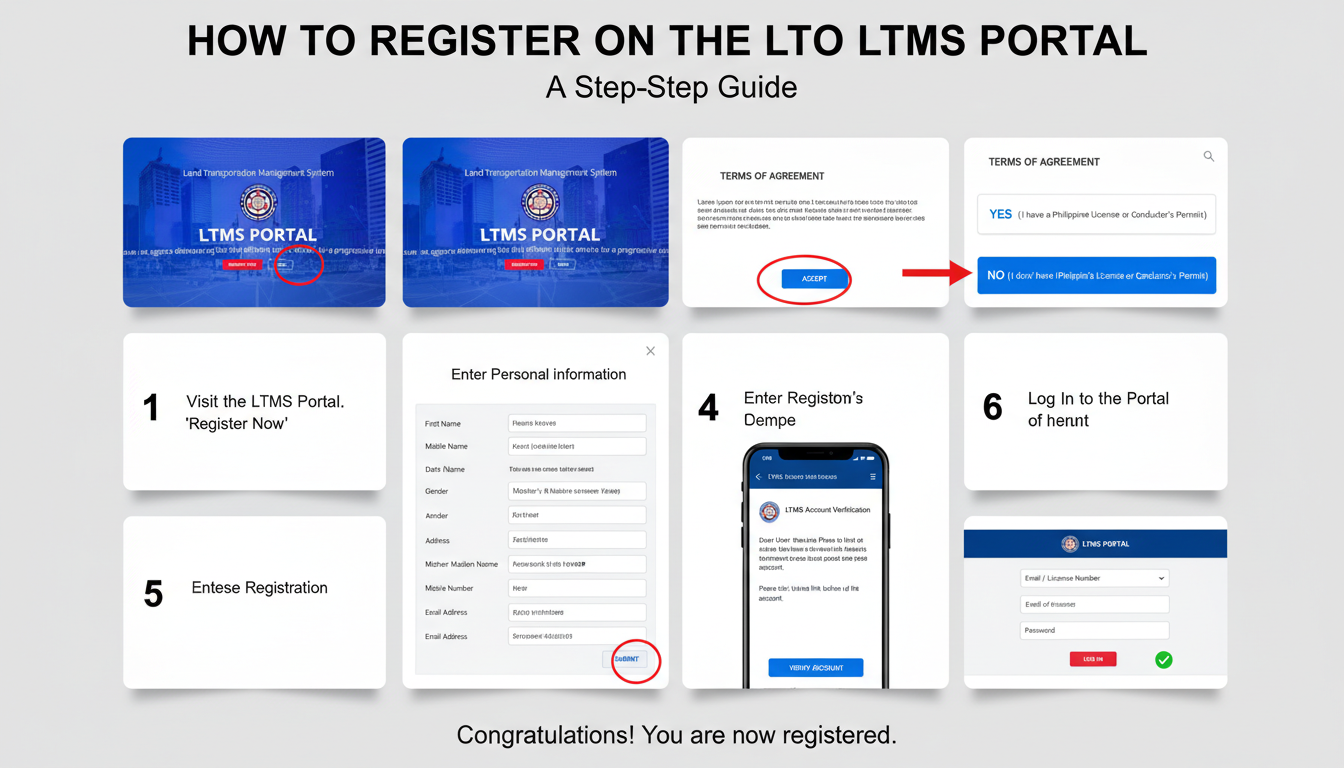
Step-by-Step Guide to Register LTO Portal
Follow these simple steps carefully.
Step 1: Visit the Official LTO Portal Website
Open your browser on your phone or computer.
Go to the official LTO portal website.
Make sure:
- The website is official
- The address is correct
- It is not a fake page
Always avoid clicking suspicious links.
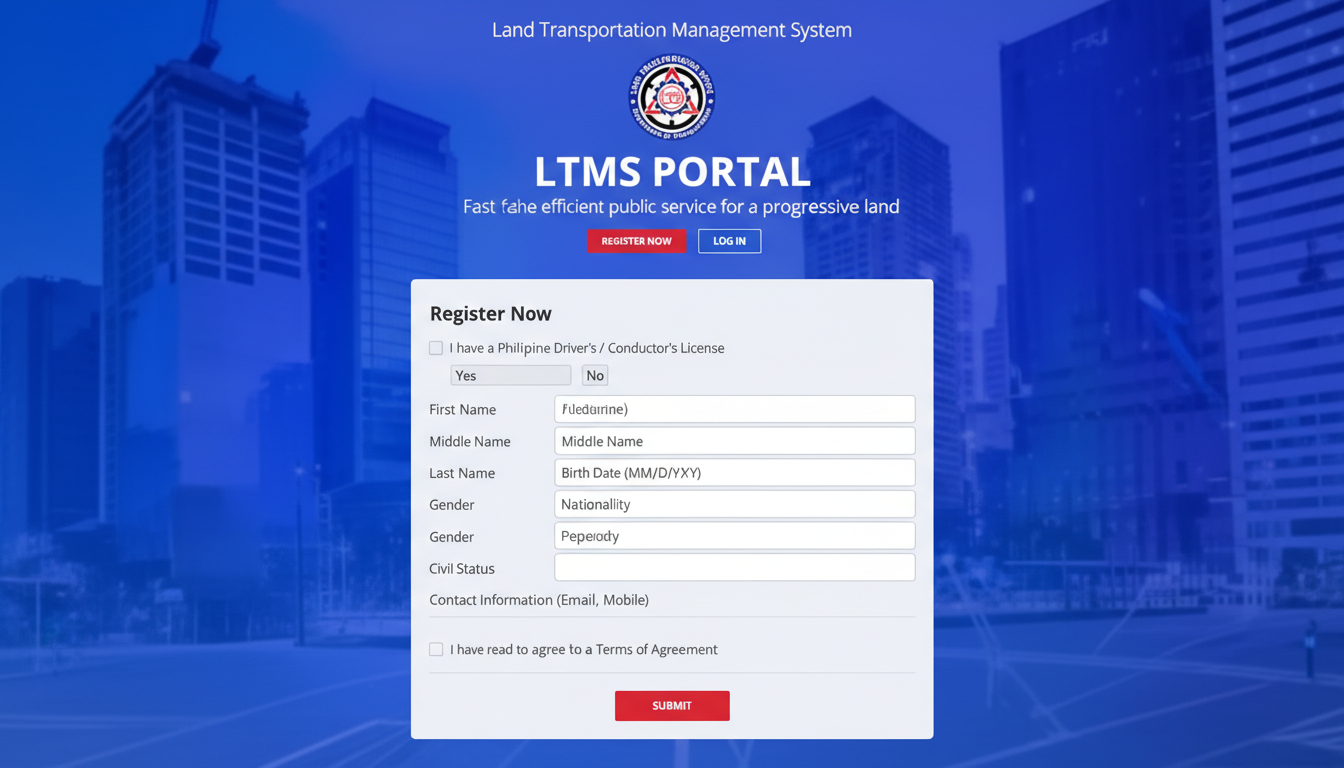
Step 2: Click “Register” or “Create Account.”
On the homepage, look for the register button.
Click it to start creating your account.
Step 3: Choose Account Type
You may be asked to choose:
- Individual account
- Company account
Most users choose Individual.
Step 4: Enter Your Personal Information
Fill in the required details:
- Full name
- Date of birth
- Email address
- Mobile number
- Address
Make sure everything matches your official documents.
Incorrect information may cause problems later.
Step 5: Create a Username and Password
Choose a strong password.
Tips for a good password:
- Use letters and numbers
- Avoid simple passwords
- Do not share it with others
Keep your login details safe.
Step 6: Verify Your Email
After submitting your details, the system will send a verification link to your email.
Open your email inbox.
Click the verification link.
This confirms your account.
Step 7: Log In to Your New Account
After verification, return to the LTO portal.
Log in using your username and password.
You now have access to the system.
What You Can Do After Registration
Once your account is active, you can:
- Apply for driver’s license
- Renew license
- Upload required documents
- Book appointments
- Check violations
- Monitor registration status
Everything becomes easier online.
How to Check Your Plate Number in LTO
Many vehicle owners want to Check Plate Number in LTO to confirm registration status. After logging in to your account, you can:
- Go to the vehicle section.
- Enter your plate number.
- View vehicle details.
This helps you confirm if your vehicle record is updated.
Why Checking Plate Number Is Important
Checking your plate number helps you:
- Confirm vehicle registration
- Avoid penalties
- Ensure records are correct
- Detect possible errors
It gives peace of mind to vehicle owners.
How LTO Tracker Helps Drivers
Tools like LTO Tracker help users stay informed about:
- License renewal dates
- Registration deadlines
- Transaction updates
- Violation records
Tracking your information regularly helps you avoid fines.
Common Problems During Registration
Some users face small issues.
Here are common problems and solutions.
Email Not Received
- Check the spam folder
- Make sure the email is correct
- Request new verification link
Website Not Loading
- Check internet connection
- Refresh the page
- Try another browser
Wrong Personal Details
If you entered incorrect details:
- Update profile after login
- Contact LTO support if needed
Is LTO Portal Registration Free?
Yes.
Creating an account is free.
You only pay for services like renewal or application fees.
Never pay anyone to create your account.
Safety Tips When Registering
Follow these safety tips:
- Use the official website only
- Do not share the password.
- Avoid public Wi-Fi
- Log out after use
- Keep personal data private
Your account contains important information.
Why Online Registration Is Better
Online registration:
- Saves time
- Reduces travel
- Avoids long lines
- Speeds up processing
- Keeps records organized
It makes life easier for drivers.
Do You Still Need to Visit an LTO Office?
Sometimes yes.
Even after online registration, you may need to visit LTO for:
- Biometrics
- Photo capture
- Final approval
But booking online reduces waiting time.
Who Benefits Most From LTO Portal?
The portal helps:
- Busy workers
- Students
- Business owners
- Motorcycle riders
- Drivers in remote areas
Anyone with internet access can use it.
Final Tips Before Using LTO Portal
Before starting:
- Prepare your documents
- Use strong internet
- Double-check personal details
- Keep email active
Preparation makes the process smooth.
Conclusion
Registering in the LTO portal is simple and helpful for every driver in the Philippines. By creating your online account, you can manage your license, check vehicle registration, book appointments, and monitor violations without always visiting an office. The process only requires basic personal information, email verification, and a secure password.
After registration, you can also check your plate number and track your records easily. Online access saves time, reduces stress, and keeps your documents organized. If you drive or own a vehicle, registering in the LTO portal is a smart step toward better and faster government service.